How to download MISSAV videos
Save supported videos as MP4
This guide explains how to install the Chrome extension, detect a supported video, choose the available quality, and save an MP4 file.
Download extension v1.0.16 ↓This is an unofficial tool, independent of MISSAV, 123AV and SUPJAV. Use it only for videos you are permitted to save. This page contains affiliate advertisements. Screenshots show examples; the extension interface is currently in Japanese.
Supported sites
- MISSAV:Download guide
- 123AV:Download guide
- SUPJAV:Download guide
対応するHLS・MP4が対象です。配信形式やアクセス制限によって保存できない動画があります。
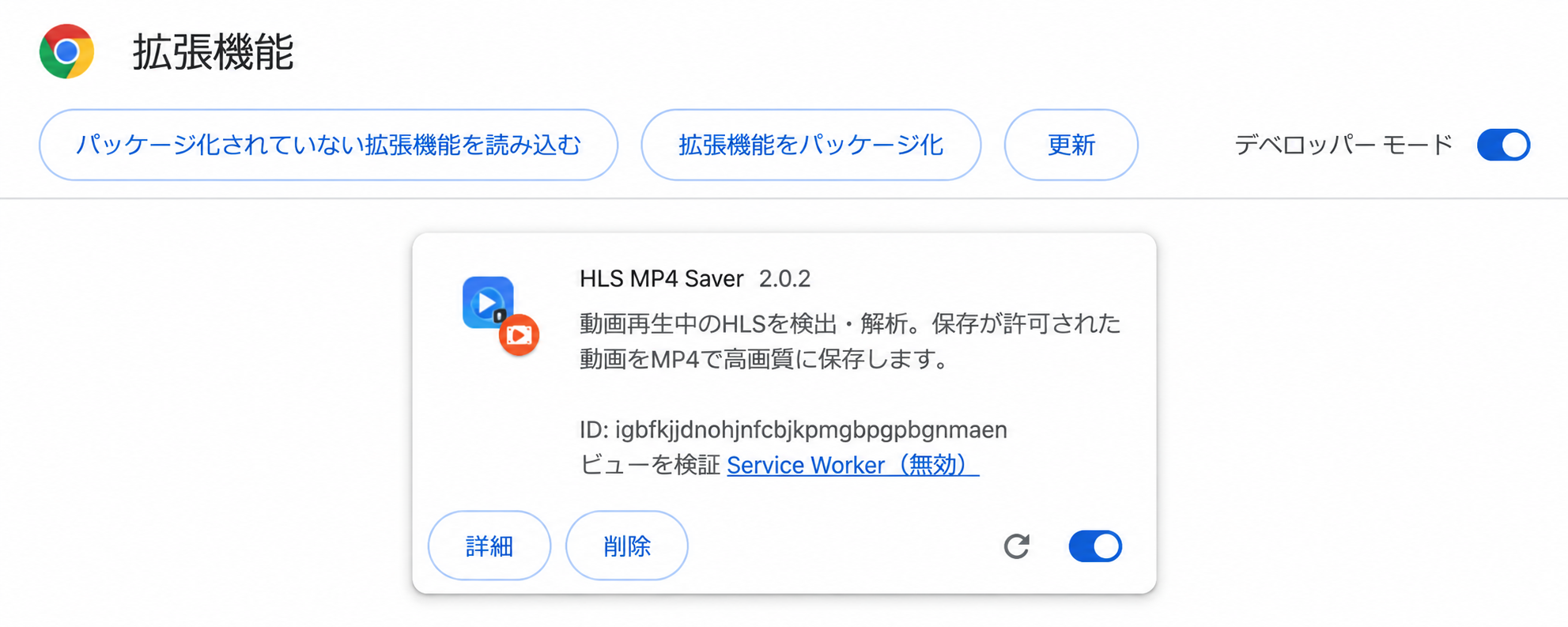
1. Install the extension in desktop Chrome
- Download the extension ZIP above and extract it.
- Open
chrome://extensionsand enable Developer mode. - Click Load unpacked and select the extracted HLS_MP4_Saver folder containing manifest.json.
- Disable older copies. Keep only one copy enabled.
- Pin HLS MP4 Saver using the puzzle icon in Chrome.
2. Open a MISSAV video page
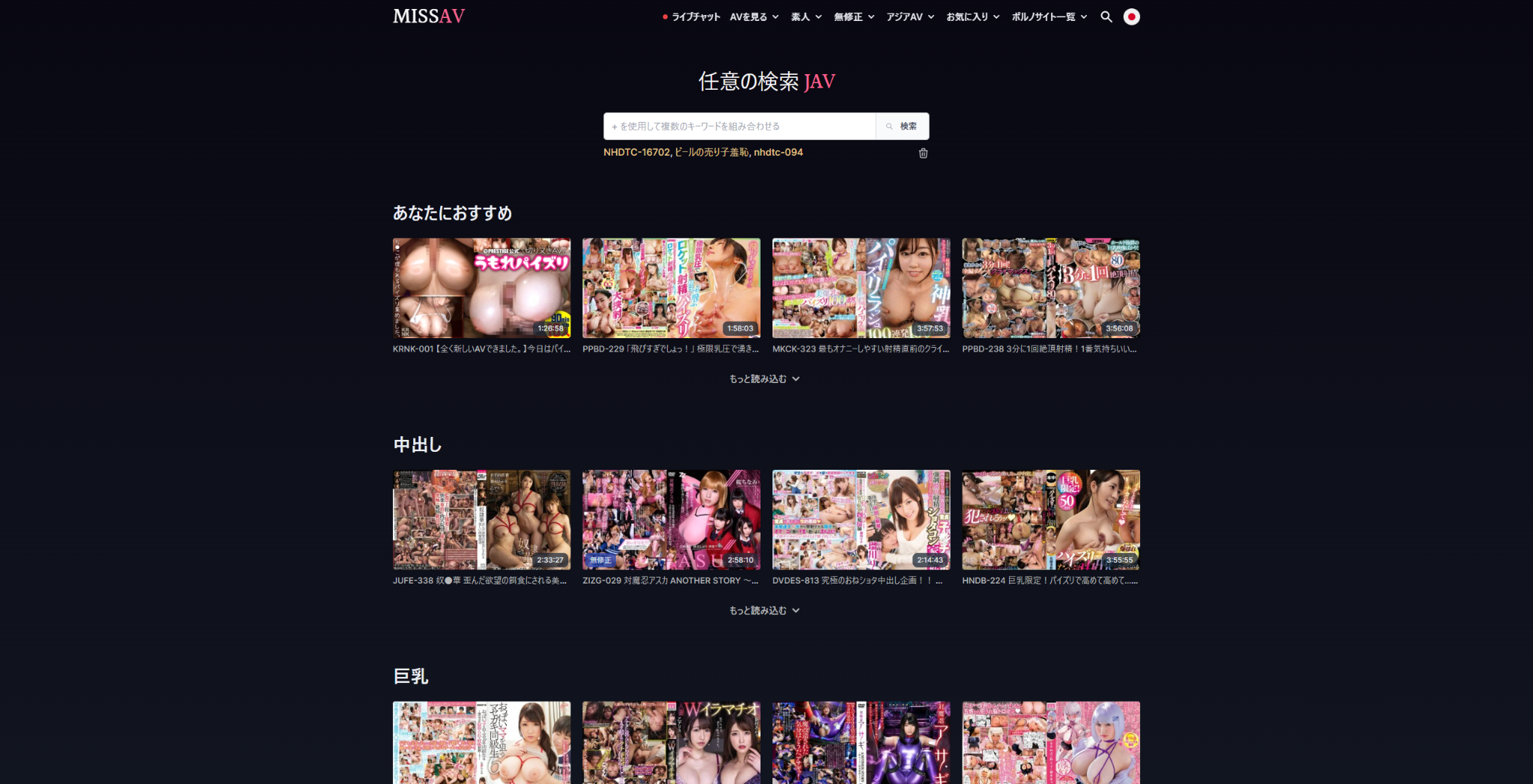
- Open the individual video page, not just the homepage.
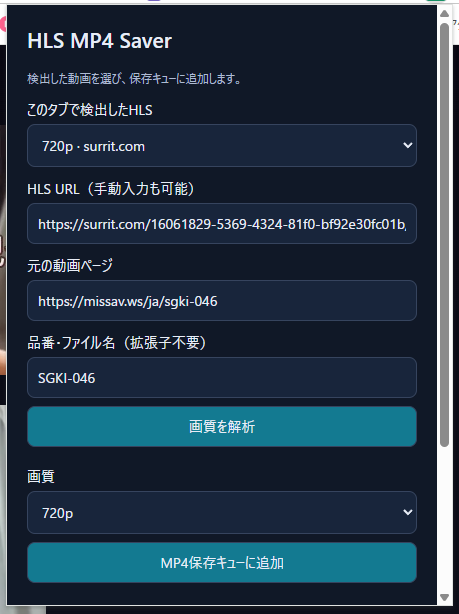
- Play the video, then open the extension icon.
- Select the detected HLS or MP4 candidate.
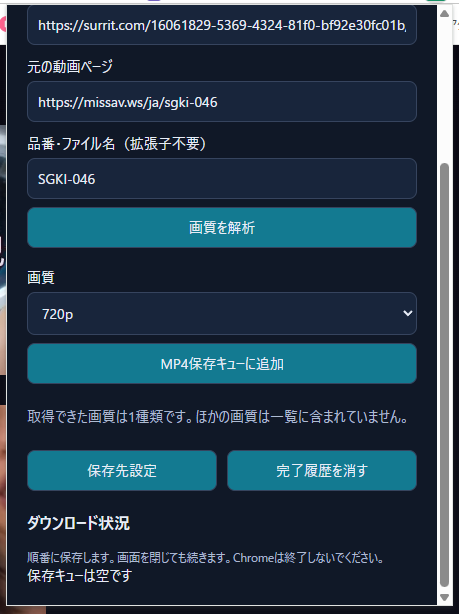
- Check the source page and product-code filename.
- Select an available quality. For a direct MP4, use the original-quality option; there is no HLS quality list to parse.
The tool cannot add resolutions that are not provided by the source.
3. Save and check the MP4
- Use 保存先設定 (save settings) to set the save location. Changing Chrome's default download location also affects other Chrome downloads.
- Click MP4保存キューに追加 (add to MP4 download queue).
- Follow the progress in ダウンロード状況 (download status).
- After 保存完了 (complete), use 再生して確認 (open to play) or 保存先を開く (show file).
You can set 1–4 simultaneous video downloads; the default is 3. Up to 20 jobs may be registered. Keep Chrome running until downloads finish. Speed depends on the source and connection.












Frequently asked questions
Does it work on smartphones?
This extension targets desktop Chrome. Smartphone installation is not supported.
Must I play the video first?
Some pages are detected without playback. If no candidate appears, reload the individual video page, play it and reopen the extension.
Can I choose the quality?
Choose from qualities present in the HLS playlist. Direct MP4 uses the source quality. The tool cannot add resolutions not supplied by the source.
Can I resume after a 403 or connection error?
For a paused job, reload and play the source page, then try resume. Expired URLs or source restrictions may prevent recovery.
What if storage is full?
Free space on the drive used for Chrome temporary storage and the final download destination. Resume the capacity-paused job after freeing space.
Can I resume after closing Chrome?
Resume does not currently survive Chrome shutdown, PC restart or extension reload.
How many simultaneous downloads?
Set 1–4 jobs; the default is 3. Up to 20 jobs may be registered including waiting jobs. Lower concurrency if failures increase.
Are extension updates automatic?
No. Extract the new ZIP, disable the older copy and load the updated folder.
Release history
拡張機能の主な変更内容です。過去版の仕様は、最新版では変更されている場合があります。
v1.0.16
大容量動画の一時保存方式を変更。容量不足時は取得済みデータを保持して一時停止し、空き容量を増やした後に再開できます。Chrome終了後の再開は未対応です。
v1.0.15
中止ボタンを改善。並列通信・通信の順番待ち・自動再試行待ちを停止します。
v1.0.14
MP4の最初の取得量を縮小。最大3通信の並列取得と受信中の容量表示を追加。
v1.0.13
SUPJAVなどの直接MP4配信の検出・保存を追加。元の配信画質で保存します。
v1.0.12
SUPJAVの埋め込みプレーヤー検出を改善。拡張子のないHLSの検出を追加。
v1.0.11
アクセス制限時に取得済みデータを保持し、続きから再開する操作を追加。
v1.0.10
同時ダウンロード数を1〜4本から選べる設定を追加。
v1.0.9
123AVの通常とは異なる名前の動画通信の検出を改善。
v1.0.8
123AVなどの埋め込みプレーヤーの通信情報の引き継ぎと品番検出を改善。
v1.0.7
複数動画の同時保存を追加。動画ごとの進捗・一時データ・中止処理を分離。
v1.0.6
保存処理の設定読み込みエラーを修正。保存先をChromeのダウンロード設定へ統一。
v1.0.5
通信障害時に取得済みデータを保持して自動再試行する処理を追加。
v1.0.4
タイムアウトを無通信時間で判定するよう改善。低速でも受信が続けば取得を継続。
v1.0.3
保存中の画質解析待ちを改善。通信ごとに待機を解放する方式へ変更。
v1.0.2
保存完了後の「再生して確認」「保存先を開く」を追加。
v1.0.1
MP4形式・ファイル名・動画ヘッダーの検証を改善。
v1.0.0
ツールバー内での品番確認・画質選択・保存キュー管理を整備。
Contact
導入方法や不具合についてはこちらからご連絡ください。不具合の場合は、拡張機能のバージョン・画面のエラー文・使用しているブラウザーを添えてください。
Find your saved videos more easily.
My note article introduces missAV Browser, a Windows application for organizing and playing saved videos using covers, product codes and metadata.
A free trial supports up to five videos. The application does not download videos. See the Japanese note article for details and current pricing.
Read the note article ↗